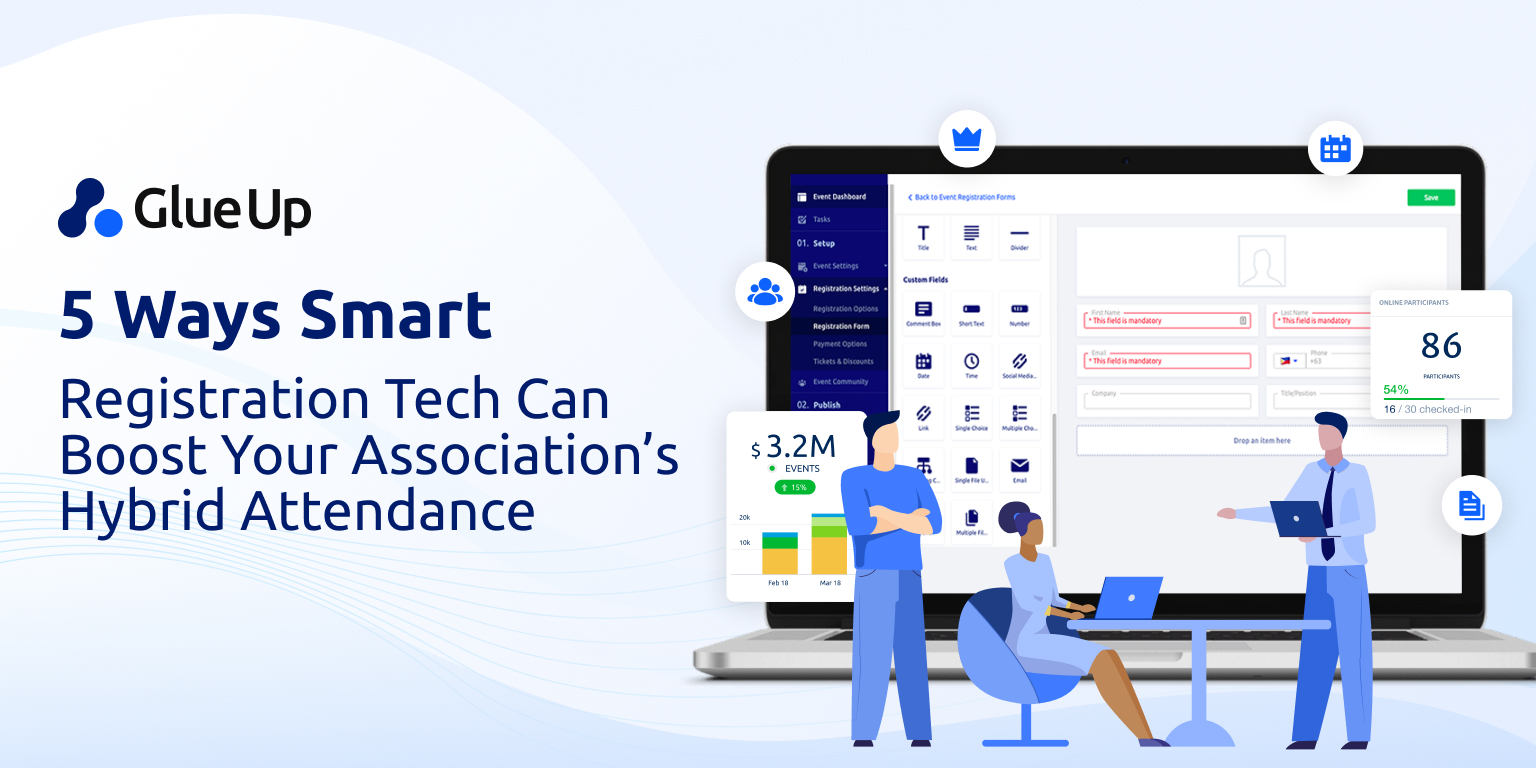

You already run great in person programs. But your members are scattered across time zones, travel budgets move up and down, and sponsors want proof they can forward to their managers. This is where hybrid event software earns a seat at your planning table.
It gives you one control room for two audiences at once, one data spine for everything from registration to reporting, and one clear path to show how sessions, sponsors, and conversations turn into value. If you have ever wondered whether hybrid event software is a must for your next program, this guide gives you a straight answer, a practical plan, and language you can take to your board.
Key Takeaways
Hybrid event software gives you one system for onsite and online audiences, from registration to reporting.
Use a single registration flow with member pricing, group passes, invoices, and clear tax rules to cut support and keep finance clean.
Build one agenda with two views, rooms and wayfinding for onsite, secure links and time zones for online.
Aim for engagement parity: moderated Q&A, polls, chat, and quick feedback in a unified queue so every voice is heard.
Deliver sponsor proof that renews: impressions, clicks, scans, meetings, and clean exports a manager can review fast.
Protect data health with CRM, email, finance, and SSO integrations, plus consent and audit controls.
Decide with a simple test: if you meet three or more needs (reach, sponsor metrics, resilience, CE tracking, post-event content, tool consolidation), go hybrid.
Run a selective hybrid: stream the main stage, pick a few high-demand breakouts, record the rest, publish on demand within a week.
Report ROI on one page: exposure, engagement, pipeline, revenue, and efficiency, plus two improvements for next time.
Avoid common pitfalls: no remote moderator, tool sprawl, budget creep, late recordings, and vague sponsor promises.
Follow an eight-week rollout to implement quickly with a normal team and repeat confidently.
Use hybrid event software when it multiplies value, keep data clean, report simply, and improve one step each cycle.
Quick Reads
The Case for Hybrid Event Software in Member Organizations
Member based organizations design programs to serve people with different schedules, budgets, abilities, and goals. Some want to be in the room. Others need a way to participate from home or office. Leadership wants results that are easy to see. Staff wants fewer manual tasks. Sponsors want leads that are qualified and compliant. That stack of needs is why hybrid event software exists.
With a single system, you can sell tickets for different audiences, publish one agenda that shows the right view to each person, run a moderated chat and Q and A that both audiences can use, and capture every interaction in a way your CRM can understand.
The result is a better record of who engaged, what moved them, and how that engagement supports dues, renewals, and sponsorships. When done with intention, hybrid event software is not an extra cost. It is the way you keep quality high while your audience mix shifts from event to event.
What Hybrid Event Software Covers from Registration to Reporting
Think of hybrid event software as a set of rooms behind the scenes. Each room solves a job you run in every program. The difference is that both onsite and online guests share the same database.
Registration and ticketing. One form, many rules. Member pricing, non member pricing, bundles for teams, discount codes, and invoices for organizations that pay by check or bank transfer. Automatic confirmations reduce manual follow up.
Payments and tax. Card, invoice, or a mix. Clear tax logic for the jurisdictions you serve. Refund rules that do not require a spreadsheet to track.
Agenda builder. One schedule, two views. Your onsite guests see rooms and wayfinding. Your online guests see time zone conversion and stream links. Both see speakers, slides, and recordings once you publish them.
Streaming and capture. A simple path for sessions you choose to broadcast, and automatic recording so your team can publish on demand content after the event.
Audience engagement. Moderated Q and A, polls, chat, reactions, and ratings that work for both audiences. A person online can ask a question that appears to the moderator in the room.
Sponsor and exhibitor tools. Deliverable tracking, logo placements, virtual booths when needed, lead scanning in the hall, and exportable reports your sponsors can forward without editing.
Networking and matchmaking. Profiles, interest tags, suggested connections, and simple meeting scheduling. In person guests can book time at the venue, online guests can book a video chat, and both can meet later.
Post event surveys. One survey with logic that routes questions to the right audience. Simple templates for CSAT or NPS if you use those frameworks.
Analytics and reporting. Attendance, dwell time, active engagement, sponsor interactions, and lead exports. Board ready summaries you can send in a single page.
Privacy and compliance. Consent capture, data processing agreements, user rights requests, and single sign on for staff who need to manage multiple programs.
Every line above sounds simple, yet it is exactly where events drop quality when data lives in silos. The reason to pick hybrid event software is not to look modern. It is to protect data quality while you serve more than one type of attendee.
Why Associations Use Hybrid Event Software Intentionally Not Automatically
The best associations do not treat hybrid event software as a switch they flip for every session. They use it to hit specific goals.
Reach and equity. Members live far apart. Some have travel limits. A hybrid model lets more people access the learning they pay for.
Sponsor proof. When sponsors ask what they got, you can show impressions, clicks, scans, meetings, and post event pipeline.
Program resilience. Weather, visas, health, and budget surprises do happen. A hybrid design helps you keep the program together without scrambling.
Content strategy. Recordings let you run post event campaigns, refresh learning libraries, and support members who missed a session.
Compliance and credits. Continuing education often requires attendance verification. A hybrid platform can record the right signals for both audiences.
A good rule of thumb is simple. Lead with the in-person experience when relationship building matters most, then use hybrid event software to expand reach, protect continuity, and capture data that keeps sponsors happy, and members served.
How Hybrid Event Software Handles Registration and Tickets Without Confusion
Registration is where most friction begins. People expect to see the price that fits their status and the format they want. Hybrid event software solves this with one form and clear logic.
Show the right price after sign in or email capture.
Offer onsite, online, and bundle tickets side by side with short descriptions.
Allow organizations to buy group passes and assign them later.
Surface invoices for organizations that need to pay offline and reconcile later.
Trigger reminders for abandoned forms at a pace that is polite and predictable.
When all of this runs through one system, staff does not need to fix mismatched records or chase payment status across tools. The member record stays clean. Finance gets a clear report. Your team spends less time on support and more time on programming.
Engagement That Counts for Both Audiences with Hybrid Event Software
If remote guests feel like watchers, they will tune out. Hybrid event software prevents that with guided participation.
Moderated Q and A. Collect questions from both audiences in one queue. Let a staffer group duplicates and push the best to the stage.
Live polls. Ask simple questions with a single tap. Share results quickly to keep energy up.
Chat with rules. Encourage introductions, direct people to resources, and post session links in the chat so there is momentum, not noise.
Reactions and applause. Simple signals help speakers read the room and the stream at the same time.
Session feedback. A two-question card at the end of each session gives you more signal than a long survey no one finishes.
Good facilitation is the secret. Tools matter, but a moderator who watches both rooms and surfaces remote voices creates parity. That is how hybrid event software turns spectators into participants.
Sponsor Proof and Exhibitor Value Inside Hybrid Event Software
Sponsors renew when value is easy to see, simple to explain, and fast to forward. Hybrid event software should make that possible without a manual spreadsheet.
Deliverables tracker. Each sponsor package has promised placements. The system logs them as you publish.
Lead capture everywhere. Scans at the booth. Button clicks in virtual booths. Meeting requests from the app. All are labeled to the sponsor.
Exportable reports. A clean PDF or CSV with impressions, clicks, scans, meetings, and note fields that a sponsor can circulate right away.
Post event follow up. Sponsors get a suggested email and a list to contact. Your staff gets a templated message for renewals, upgrades, and add ons.
If your sponsors serve members who cannot always travel, your hybrid footprint is a selling point. They are not buying a logo. They are buying touch points they can measure.
Integrations And Data Health When You Adopt Hybrid Event Software
Two words decide the long-term value of any platform. Clean data. Adopt hybrid event software with a plan for integrations and governance.
CRM integration. Registrations create or match contacts. Attendance and engagement flow back to the member record. Lead sources and tags stay consistent.
Email marketing. Smart lists update as people register or change status. Campaigns use session interest and attendance for better relevance.
Finance and accounting. Paid invoices and refunds reconcile without manual re entry.
Single sign on. Staff and speakers authenticate with your system. Permissions are tied to roles.
Data rights. All consent and preference data live in one place so you can honor requests quickly.
Decide who owns which fields, set naming rules for lists and tags, and write a short playbook that explains how event data moves. You will save yourself months of clean up later.
Decision Guide for Boards and Executive Directors Who Ask If You Need Hybrid Event Software
Use this short test for your next program. If you check three or more, hybrid event software is worth the budget.
Your members are spread across regions and you are committed to equitable access.
Sponsors expect proof that shows more than foot traffic.
You want a buffer against travel, weather, or health disruptions.
You offer continuing education and need reliable attendance verification.
You plan to run post event campaigns with recordings and slides.
Your team wants to reduce manual work and consolidate tools.
If you do not check those boxes, keep it simple. Run a strong in person event, record key sessions, and run separate virtual programs later in the year. This gives you quality without stretching staff or budget.
The Selective Hybrid Playbook That Protects Budget and Quality
A common mistake is to stream everything. A better path is to pick moments that carry the most value for people offsite.
Stream the main stage. Keynotes and major panels are the anchor.
Pick two or three high demand breakouts. Choose sessions with broad interest or compliance value.
Record the rest. Publish on demand within a week. Shorten long sessions. Add chapter markers.
Plan pauses. Build five minute buffers so stage teams and moderators can reset.
Create remote only moments. Host a short online discussion or networking lounge that onsite attendees can join from quiet areas.
This approach lowers AV costs, keeps attention high, and gives your post event plan better raw material.
Hybrid Event ROI You Can Defend in a Boardroom
Boards do not need a binder. They need a one page story that travels. Hybrid event software gives you the data to tell it.
The one page structure
Exposure. Registrations, unique viewers, page views for agenda and sponsor pages.
Engagement. Session starts, dwell time, questions asked, polls answered, virtual booth visits, badge scans, meetings scheduled.
Pipeline. Leads, meetings completed, qualified opportunities created, proposals sent.
Revenue. Closed deals within the lookback window you set. Renewal signals if the event supports dues.
Efficiency. Hours saved because registration, reminders, and follow ups ran in one system.
Explain what you streamed live, what you recorded, and why. Show how you protected parity for remote attendees. Call out two improvements you will test next time. Boards appreciate clarity and iteration more than big claims.
Pitfalls To Avoid When You Adopt Hybrid Event Software
Even good tools can disappoint if the plan is not clear. Avoid these traps.
Second class remote experience. If no one moderates questions for online guests, they will disengage. Assign a real moderator with authority.
Tool sprawl. Registration in one system, mobile app in another, streaming in a third. Pick a platform that does the core jobs, then integrate a few specialists where needed.
Budget creep. Streaming every session rarely pays off. Be selective and invest in quality where it counts.
Late content. If recordings appear a month later, you lose momentum. Publish a first batch within seven days with a simple email that routes people back to your site.
Unclear sponsor terms. Promise only what you can measure. Show examples of sponsor reports before the sale.
A little discipline at the start prevents churn with members and sponsors later.
Buyer Checklist for Hybrid Event Software That Fits Associations
Use this checklist in your RFP. It mirrors how associations work and it maps to the features that matter.
Member aware registration with group passes and invoice options
Clear tax logic and flexible refunds
Agenda builder with track tags, speaker bios, and attachments
Streaming that is reliable and simple to operate, plus automatic recording
Moderated Q and A, polls, chat, reactions, and simple session feedback
Sponsor packages with deliverable tracking and lead capture everywhere
Virtual booths that are easy to set up when you need them
Matchmaking, meeting requests, lounges, and contact cards
Post event surveys with logic for each audience
Board ready analytics and sponsor exports you can send without editing
CRM, email, finance, and single sign on integrations
Consent management, data rights, audit logs, and clear permissions
Mobile app that works well on common devices and poor connections
Real support for organizers during build and onsite
Run short demos that focus on the tasks your team does daily. Ask each vendor to build a sample event that looks like your own. Confirm how data flows to your CRM and email tools. Request a sponsor report with fake data so you see the layout and fields. A few hours of testing will prevent months of regret.
Implementation Plan You Can Run in Eight Weeks
Adopting hybrid event software does not have to be heavy. Here is a tight plan for a normal association team.
Week one: Select the platform, assign an owner, and set success measures. Confirm integrations you will use now and what can wait until the next program.
Week two: Import member segments or connect your CRM. Set up ticket types and an invoice path. Write the first pass of your event website and registration flow.
Week three: Build the agenda and speaker records. Train moderators on Q and A, polls, and chat. Draft sponsor packages and confirm how each deliverable will be tracked.
Week four: Connect email and test smart lists. Create the reminder sequence for abandoned forms and pre-event nudges. Publish the event site and open registration.
Week five: Test the stream path for the sessions you will broadcast. Record a short run of show video for speakers and staff. Share guidance with sponsors.
Week six: Begin weekly reporting on registrations, ticket mix, and sponsor activity. Adjust pricing and promotions if needed.
Week seven: Finalize the moderator plan and backup roles. Prepare the post event survey and the one-page board report template.
Week eight: Run the event. Publish recordings within seven days. Send the one-page report to leadership and sponsor reports to partners. Hold a short retro to lock in two improvements for next time.
The goal is not software perfection. The goal is a reliable system you can repeat and improve.
Short FAQs
What is hybrid event software?
It is a single system that runs both in person and online experiences with one database for registration, agendas, engagement, sponsors, and reporting.
Do I need hybrid event software for every event?
No. Use it when you need reach, equity of access, sponsor proof, or a program that must continue through disruption. If not, lead with an in-person plan and publish recordings later.
What should I stream and what should I record?
Stream your main stage and a few high demand breakouts. Record the rest and publish on demand quickly. This saves budget and keeps attention high.
How does hybrid help sponsors?
It increases measurable touch points. Sponsors get impressions, clicks, scans, meetings, and exports they can send to managers. That clarity drives renewals.
How does hybrid connect to our CRM?
Registrations create or match contacts. Attendance and engagement flow back to the record with tags and sources that your team can use for campaigns and renewals.
How Glue Up Supports Your Hybrid Event
If you are weighing hybrid event software for an upcoming program, here is what Glue Up actually does for you. Make an event easier to run, clearer to report, and better for members, sponsors, and staff.
Registration and payments that fit membership: Member and nonmember pricing, group passes, invoicing, refunds, and clear tax rules in one place, less back-and-forth for staff, and cleaner books for finance.
One agenda for two audiences: Build once. Onsite attendees see rooms and wayfinding; online attendees get secure access links and time zones. It is the same program, delivered well in both formats.
Participation with parity: Moderated Q&A, polls, chat, and quick ratings bring questions from the room and the stream into one queue, so every voice is heard.
Sponsor results you can send: Logo placements log as published, while scans, clicks, meetings, and leads roll into exportable summaries sponsors can forward to managers.
Data that connects: Contacts, attendance, and engagement write back to your CRM and email tools with consistent tags and fields.
Reports leadership will read: A concise, one-page summary ties exposure, engagement, pipeline, and revenue together, with next steps for the next cycle.
Use Hybrid Event Software When It Multiplies Value
You do not have to pick a side between in person and online. You can design each program around goals. When reach matters, when disruption risk is real, when sponsors want data, and when your content can live longer than one day in a ballroom, hybrid event software is the right call. When your objective is deep relationships for a local audience, keep the cameras off, record a few moments, and focus every dollar on the room.
Either way, you now have a plan. Use hybrid event software when it multiplies value. Keep your data clean. Report in one page. Improve one step each cycle. That is how you grow programs people talk about and protect the revenue that funds your mission.