Three invoices. Two currencies. One confused member whose status changed last night—and a Sage Intacct invoice that no longer matches the CRM.
That’s the kind of friction finance teams at member-based organizations deal with every month. The general ledger tag is wrong. The chapter code is missing. Deferred revenue looks off. And now your CFO wants answers before the board meeting.
It’s not that your team isn’t trying. It’s that your tech stack doesn’t segment members in real time—right when the Sage Intacct invoice is created.
That’s exactly where Glue Up’s Smart Lists come in.
Why Segmenting Your Members Manually Breaks Your Sage Intacct Invoice Flow
If your billing system doesn’t know the context of the member now of invoice creation, your whole workflow is vulnerable.
Your event sponsor invoice may be posted to general membership.
Your EMEA corporate member might get US tax codes.
Your suspended user might still be billed as active.
The problem? Most CRMs operate with static segmentation. You create a list once, export it, clean it in Excel, and hope that your billing system knows what to do. In the meantime, members move. Statuses change. Access levels expire.
By the time your team posts that invoice to Sage Intacct, it may be wrong.
Sage Intacct is only as precise as the data that flows into it. It doesn’t create context—it accepts it. If your CRM isn’t delivering accurate member segmentation at the point of transaction, your GL becomes a patchwork of corrections and reclassifications.
How Glue Up Smart Lists Bring Intelligence to Sage Intacct Invoice Precision
Glue Up’s Smart Lists are like dynamic filters, powered by real-time behavior and tags. You don’t build them once—you set up the logic, and they stay current.
Here’s what they do behind the scenes:
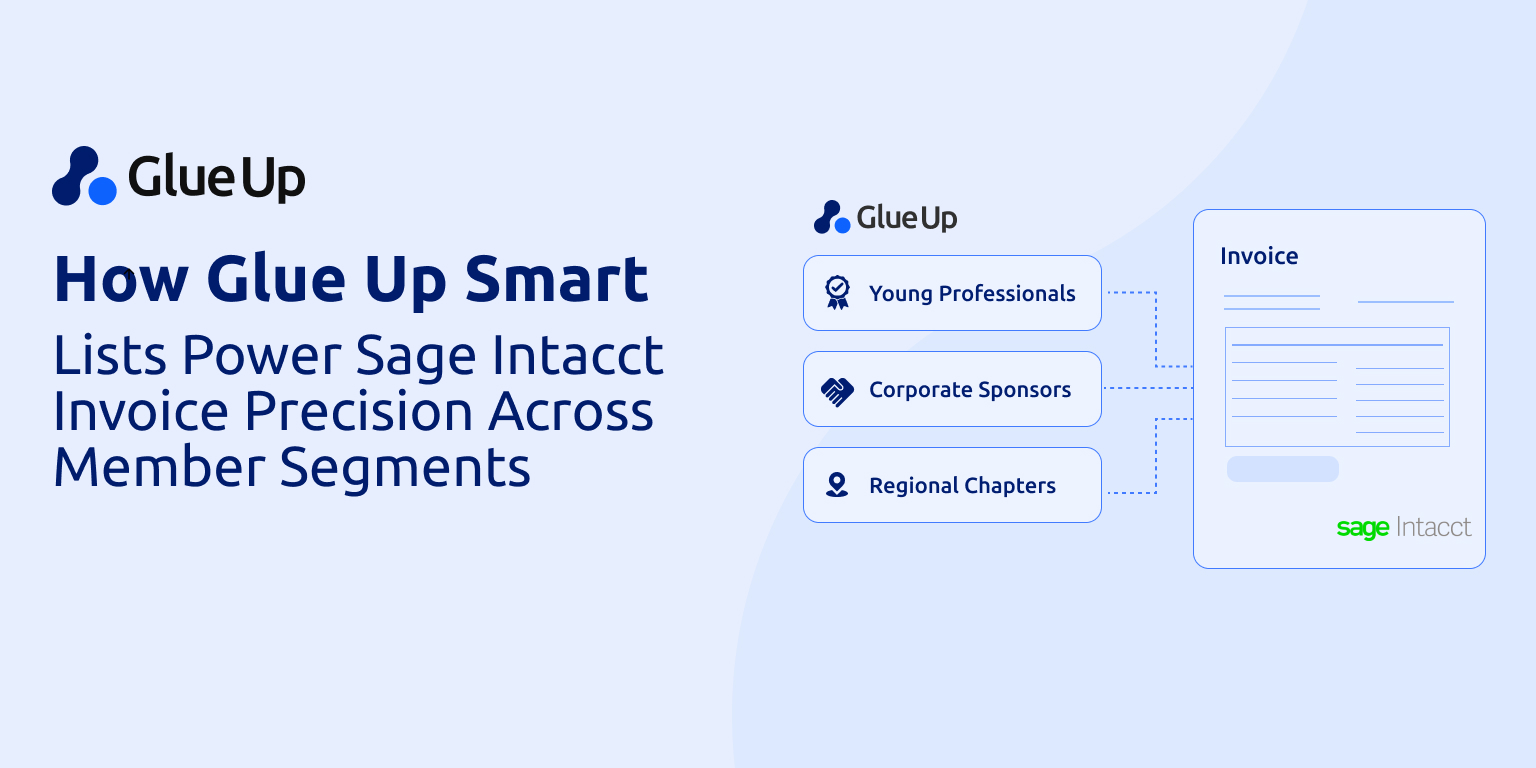
Auto-sort members based on behaviors (events attended, forms submitted), statuses (active, lapsed, trial), and metadata (location, chapter, tier, payment method)
Instantly update when a contact changes in the CRM—no manual refresh needed
Feed those segmentations into workflows that trigger invoices with predefined tags
Sync those invoices to Sage Intacct through API in real time
So, if your Pacific Northwest enterprise sponsor just changed tiers last night? The system already knows. The Sage Intacct invoice they receive today will be correctly categorized, dimension-tagged, and compliant.
The Sage Intacct Invoice Handoff
When a Smart List triggers an invoice—say, for your Q3 corporate memberships—the process looks like this:
CRM Segmentation: Smart List filters contacts based on rules (e.g., Region = “Southwest,” Tier = “Enterprise,” Status = “Renewed”)
Invoice Generation: Glue Up’s billing engine applies the correct price, tax profile, currency, and GL account code
API Push: Invoice flows directly into Sage Intacct, carrying all dimensional data
GL Sync: Sage Intacct processes the invoice with department, entity, and location fields fully populated
AR & Reporting: Your Sage dashboards update in real time. No manual adjustments. No recon jobs.
This entire flow takes seconds—and replaces what used to take a staffer 2–3 hours per week.
It’s faster. It’s defensible. If your auditor asks why an invoice posted to the wrong chapter last year, you’ll have a Smart List trail to show exactly how the logic worked—and when it changed.
What Teams Report After Switching
Smart Lists change how teams work.
1. Fewer Support Tickets
Glue Up clients report up to 60% fewer billing inquiries once Sage Intacct invoices are tied to Smart List–based logic. Members see the right amount. Finance teams stop “firefighting” questions like “Why did I get charged the full rate when I’m inactive?”
2. 8–10 Staff Hours Saved Per Week
Manual tagging, status checks, and invoice edits are often invisible in monthly planning—but eaten up in real time. Smart Lists eliminate most of that grunt work.
3. Better Board Confidence
Your board want confidence in their numbers. When Sage Intacct revenue reports align 1:1 with CRM status breakdowns, your finance committee stops asking for manual reconciliations.
4. Faster Cash Flow
Invoices come out earlier. They're accurate the first time. Payments come in without delay. This compresses your average DSO (days sales outstanding), giving your ops team more cash to work with in-cycle.
What a Smart List–Driven Sage Intacct Invoice Flow Looks Like
Let’s break down five common Glue Up use cases where Smart Lists directly improve Sage Intacct invoicing:
Chapter-Based Invoicing
You operate with 12 regional chapters, each a separate Sage Intacct entity. Glue Up Smart Lists filter members by location and feed that data to the invoice engine. Each invoice gets routed with the correct entity tag—no cross-chapter confusion.
Result: Entity P&L reporting in Sage Intacct becomes instant and reliable.
Event Sponsor Billing
Not all sponsors are equal. Smart Lists separate Gold vs. Silver vs. Regional-only sponsors based on custom fields and past event data. Glue Up generates invoices with the correct product codes and syncs them to Sage Intacct.
Result: Event income and sponsorship income are cleanly separated in your GL.
Automated Proration and Renewal Reminders
Mid-year member signups? Smart Lists calculate the proration rule based on join date and automate invoice generation. Renewals due soon? Smart Lists power reminder emails and renewals invoices simultaneously.
Result: Dues collection goes from guesswork to governed process.
Multi-Currency Accuracy
Smart Lists group members by billing currency (USD, CAD, EUR) using location data and payment method preferences. Invoices are generated in the correct currency, pushed to Sage Intacct, and tracked without manual conversion.
Result: No more embarrassing “why did I get billed in USD?” emails from your international members.
Donor-Member Dual Profiles
Your organization has donors who are also members. Smart Lists let you tag and bill each persona differently—membership dues go to one revenue stream, donation receipts to another, even when they’re tied to the same CRM record.
Result: You avoid double counting and can track donor performance separately from member churn.
Automation and Billing Intelligence
Automation is table stakes. Everyone’s “automating.”
What Glue Up and Sage Intacct deliver together is a billing system that knows what to do. It knows:
What that member signed up for
Whether they renewed or canceled
What tax applies based on location
Whether the chapter has its own P&L
How to map every transaction to your GL, in real time
And it executes that knowledge the moment the invoice is triggered. Not after a manual check. Not after financing “cleans up” the data. Right then.
That’s billing intelligence. And it’s how you stop revenue leakage before it happens.
Governance, Compliance, and Audit-Readiness
Most people don't think of invoices as compliance risks—until something breaks down.
A mistagged department code
A duplicate invoice sent due to sync delay
An expired membership charged again
Sage Intacct’s Smart Rules catch some of this—but only after the invoice is created. Glue Up Smart Lists prevent it from happening in the first place by structuring segmentation before generation.
Every invoice includes:
Correct GL account
Program code
Entity, location, department
Member status at time of billing
Auto-archived in CRM with timestamp
So, when your auditor or board chair asks for a full invoice trail, you don’t dig through the folders. You click once.
Why This Matters Now (And Not Next Year)
Your data is only getting messier.
More chapters. More event formats. More hybrid offerings. More custom member plans.
Without real-time segmentation that speaks directly to your GL, you're just creating future reconciliation pain.
Boards aren’t asking “how did we grow?” anymore. They’re asking:
Why didn’t that event revenue hit last quarter?
Why is our AR balance bloated?
Why is our net margin off from forecast?
They want speed and precision. That’s exactly what the Glue Up + Sage Intacct invoice flow delivers—on autopilot.
Your Next Move
Ask your team:
Are we still exporting static lists for billing?
Are invoices sometimes wrong based on status or tier?
Do we spend time fixing Sage Intacct entries post-close?
Do we have real-time segmentation that ties to revenue ops?
If the answer is even one yes, it’s time to upgrade how your billing actually works.
Here’s your action plan:
Book a 30-minute workflow audit with the Glue Up team
Map your billing segments into Smart Lists
Connect Glue Up’s invoice logic to your Sage Intacct instance via API
Run your first fully tagged, error-free billing cycle next month
You need automation and control and clarity.
And when Smart Lists powers every Sage Intacct invoice, you’ll finally have both.
For more integrations, check out the Glue Up Add-On Cart.