asha sends invoices from QuickBooks, manually updates paid dues in Glue Up, then emails John in finance to reconcile everything in Sage. That is what broken association finance integrations look like in practice. Three tools. Two hours. One frustrated team. All for a process that should have taken 10 minutes.
Sound familiar?
When accounting tools are not connected, finance teams become the integration layer. Time goes into switching tabs, tracking missing records, and double-checking numbers that should have aligned automatically.
With Glue Up, those same steps can happen in minutes when the right systems work together. Understanding how Sage, QuickBooks, and Paygage fit into one finance workflow is the first step toward fixing the problem.
Key Takeaways
Association finance integrations reduce manual work before they reduce costs. Connecting payments, accounting, membership, and events removes reconciliation and duplicate entry, which frees finance teams from acting as human connectors between tools.
Most finance problems come from disconnected systems, not bad software. When dues, invoices, and event revenue live in separate platforms, accuracy depends on manual cleanup instead of reliable workflows.
Paygage, Sage, and QuickBooks serve different roles and work best together. Paygage handles member payments and renewals, while Sage and QuickBooks support accounting and reporting, and integrations keep everything aligned.
Growth increases financial complexity, but integrations keep it manageable. More members, events, and payment options do not require more headcount when systems stay connected and data flows automatically.
Strong association finance integrations support better decisions across the organization. Finance teams focus on trends instead of corrections, leadership sees clearer reports, and members experience smoother billing and renewals.
Quick Reads
- AI-Powered CRM in Membership Management
- Partnership vs Sponsorship: What’s Best for You?
- How AI is Revolutionizing Event Planning
- Comparing the Best Association Management Software
- Transform Your Financial Management with Tools
- How to Promote Membership in the Most Effective Ways
What Association Finance Integrations Actually Mean
Association finance integrations connect how money is collected with how it is recorded, reported, and understood.
That sounds simple. In practice, it is where most organizations struggle.
Associations do not operate like small businesses or ecommerce stores. Pricing depends on membership status. Access depends on eligibility. Chapters introduce regional rules. Grants and sponsors introduce reporting requirements.
Without integrations, finance teams end up doing three jobs at once:
Payment processing
Data cleanup
Manual reconciliation
With proper association finance integrations, those steps connect automatically. Payments update member records. Invoices sync with accounting. Event revenue ties back to the same member profile finance already trusts.
Where Association Finance Integrations Break Down Most Often
Most finance issues are not caused by bad tools. They are caused by tools working in isolation.
Common breakdown points include:
Dues collected outside the CRM: Payments arrive, but membership status stays outdated.
Invoices issued without member context: Finance sees numbers, but not relationships.
Event revenue tracked separately from accounting: Reports show totals, not who paid or why.
Finance teams acting as human connectors: Time goes into fixing gaps instead of reviewing trends.
These problems compound as organizations grow. More members, more events, more payment types, and more pressure on finance teams.
Sage vs QuickBooks vs Paygage: Choosing the Right Association Finance Integration
Not every association needs the same finance setup. The right choice depends on structure, scale, and reporting needs.
Sage
Best for large or complex associations.
Sage works well for organizations with:
Multiple chapters or legal entities
Grant and fund tracking
Strict audit and compliance requirements
Example: A global professional association tracking regional budgets and grant spending across multiple countries.
QuickBooks
Best for smaller teams that need reliable accounting without heavy complexity.
QuickBooks suits organizations that:
Want straightforward bookkeeping
Have limited finance staff
Do not require advanced fund accounting
Example: A local chamber managing dues, expenses, and renewals with a small team.
Paygage
Built directly inside Glue Up, Paygage focuses on member payments, not general accounting.
Paygage supports:
Dues and renewals
Recurring billing
Automated reminders and receipts
Real-time payment status inside the CRM
Example: An education association automating renewals without exporting payment files or reconciling spreadsheets.
Each tool serves a purpose. Association finance integrations work best when tools are selected based on how money flows, not just what finance teams are familiar with.
How Association Finance Integrations Work Inside Glue Up
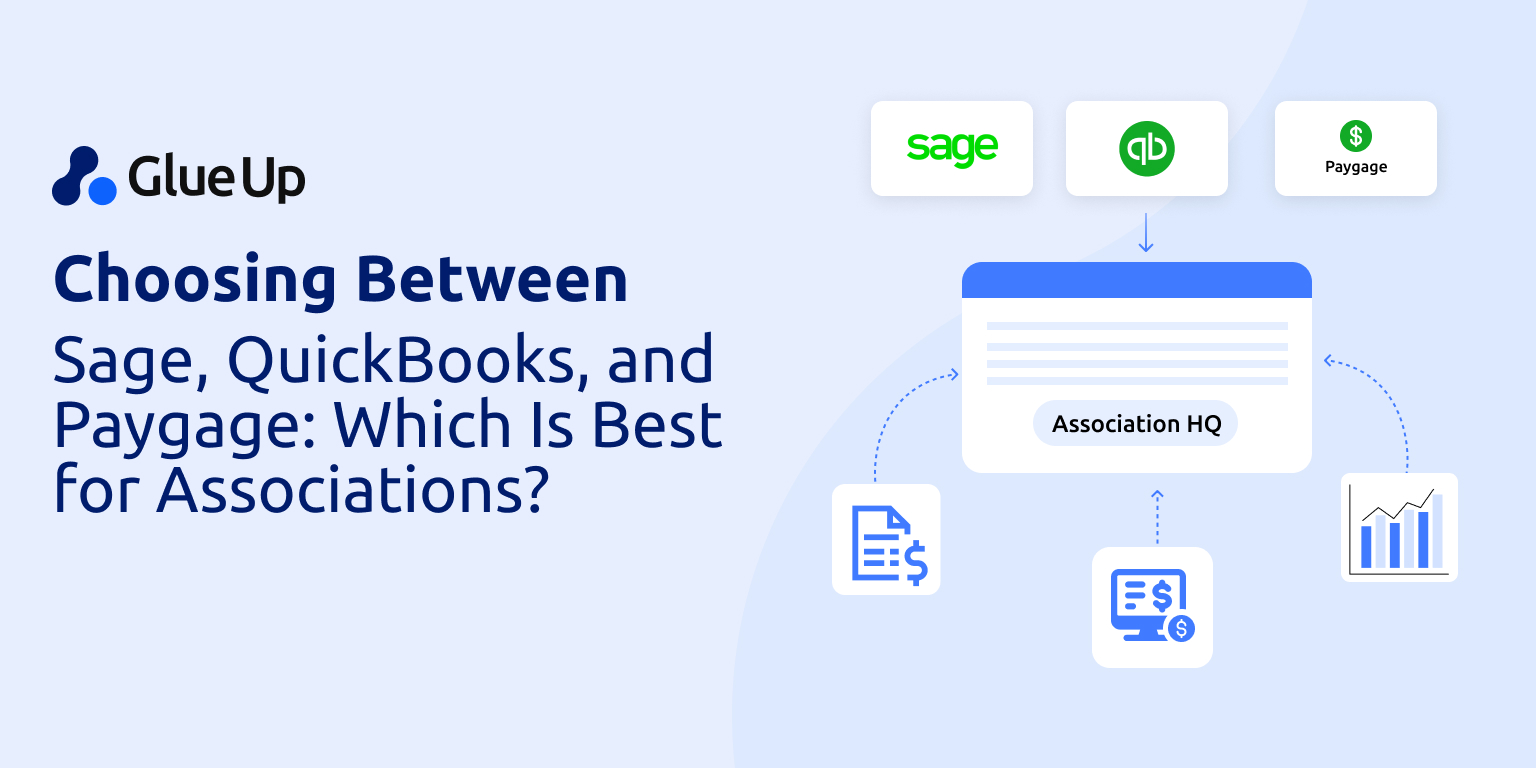
Glue Up connects Sage, QuickBooks, and Paygage so finance operations stay aligned instead of scattered.
QuickBooks + Glue Up
Invoices sync directly from Glue Up
Member dues and payments flow into accounting
Finance teams reconcile faster with fewer adjustments
This setup fits organizations that want simple bookkeeping connected to membership data.
Sage + Glue Up
Supports multi-entity and chapter structures
Tracks revenue across events, memberships, and grants
Maintains audit trails from billing to reporting
This works well for associations with layered financial requirements.
Paygage (Native to Glue Up)
No external setup or connectors
Supports cards, ACH, recurring billing, and local currencies
Automates reminders, retries, receipts, and confirmations
Paygage handles the payment side, while Sage or QuickBooks handle accounting. The integration keeps everything in sync.
Why Most Organizations Start with Paygage and Still Use Sage or Quickbooks
Paygage is often the fastest way to improve association finance integrations.
Since it is already inside Glue Up:
No additional software is required
Teams avoid training delays
Payments begin flowing immediately
That does not replace accounting systems. It complements them.
As associations grow, they continue using Sage or QuickBooks to:
Prepare board and audit reports
Manage budgets and expenses
Handle multi-entity accounting
The advantage is connection. Payments collected through Paygage update member records and flow into accounting without duplicate entry.
Start simple. Add complexity only when structure demands it.
What to Consider Before Choosing Your Association Finance Stack
Before deciding, finance and operations teams should ask a few practical questions:
How are dues collected today?
Where does payment data live after collection?
How much time goes into reconciliation each month?
What reporting does leadership expect next year?
A simple framework helps clarify the path forward:
| Tool | Best for | When to add it |
|---|---|---|
| Paygage | Member payments, renewals, automation | Start immediately |
| QuickBooks | Basic accounting and bookkeeping | If already in use or needed |
| Sage | Complex reporting, grants, audits | As structure expands |
Association finance integrations allow these tools to work together instead of competing for attention.
Why Association Finance Integrations Matter as Organizations Grow
Growth rarely breaks an association all at once. Pressure builds in small, quiet ways.
A few hundred new members add more renewals to track. One more annual event introduces another revenue stream. New payment options create more exceptions. Board expectations rise as budgets increase and scrutiny grows.
Each change seems manageable on its own. Together, they strain finance teams.
Without association finance integrations, growth multiplies manual work. Staff spend more time reconciling payments, correcting member records, and explaining numbers after the fact. Reports arrive late. Confidence in the data weakens. Decisions rely on assumptions instead of shared clarity.
Integrations change how growth feels operationally.
When payments, membership records, events, and accounting stay connected:
Dues update member status automatically
Event revenue ties back to the same financial records
Reports reflect reality without extra cleanup
Exceptions stand out instead of hiding in spreadsheets
Finance teams move away from fixing yesterday’s data and toward reviewing patterns over time. Leadership conversations shift from “Is this accurate?” to “What does this tell us?” Members notice the difference through clearer invoices, predictable renewals, and fewer billing issues.
Growth still brings complexity. Association finance integrations prevent that complexity from becoming chaos.
The result is steadier operations, better decisions, and the ability to scale without adding headcount or carrying constant stress.
How to Simplify Your Finance Workflows Inside Glue Up
A practical approach works best:
Use Paygage to collect dues and automate renewals
Connect Sage or QuickBooks to handle accounting and reporting
Keep membership, events, and payments tied to one system
Finance, membership, and events are already connected in practice. Association finance integrations make that connection visible and reliable.
What You Can Do Today
Enable Paygage from your Glue Up dashboard
Ask your CSM about QuickBooks or Sage integration
Review where finance teams still rely on manual updates
Cutting hours of finance work each week starts with connection, not replacement.
Association finance integrations turn disconnected tools into one workable system.

They reduce delays between when payments happen and when records update across systems. This improves reporting accuracy and shortens the time it takes leadership to act on financial data.
Yes, when designed correctly, integrations allow dues, event registrations, sponsorships, and other revenue types to flow into the same financial records without manual sorting.
No, most associations keep their accounting platform and add integrations to connect it with membership and payment systems rather than starting over.
Integrated systems maintain consistent records across tools, which reduces gaps and makes it easier to trace payments, invoices, and adjustments during audits.
Smaller associations benefit as well, especially when limited staff handle multiple roles. Integrations reduce repetitive work and prevent errors early in growth.
Glue Up offers native and prebuilt integrations that connect payments, membership data, events, and accounting systems without requiring technical setup or third-party middleware.
Yes, payment status updates inside Glue Up remain synchronized, which helps finance teams track exceptions without manually correcting records in multiple tools.
When integrated with accounting tools, Glue Up updates member records automatically based on payment activity, reducing the risk of expired access or incorrect renewals.
Glue Up integrations support complex association structures by allowing payment and revenue data to align with chapters, events, or programs before syncing to accounting.
Paygage can be enabled immediately, and accounting integrations are typically set up with guidance from a CSM, allowing most teams to improve workflows within days rather than months.