You walk into the boardroom. The air is thick with expectations. The treasurer clicks through sheet after sheet of Excel until finally someone asks: “Are we on budget this quarter?” There’s a pause. The numbers scroll. The board waits. And then someone says, “Well… we’re doing okay, I guess?” For membership-based organizations, this scene is all too familiar. It doesn’t have to be this way. With the right budget dashboards, you replace uncertainty with clarity, delay with velocity, and confusion with decision. These tools turn your budget review into a moment of insight.
If your organization is a chamber of commerce, a professional association, or a non-profit with members and dues, then this guide is for you. We'll walk you through why budget dashboards matter, which key performance indicators (KPIs) they must surface, how to design the layout so your board actually reads and uses them, how to automate data feeds so you’re not chained to Excel exports, and how to make your next board meeting feel like a strategy session instead of a report sludge.
You’ll walk away with actionable insight and a roadmap for implementation, and yes, you’ll see how Glue Up fits into that ecosystem as a platform that can deliver many of these pieces out of the box.
Spreadsheets slow down board reviews and obscure insights. Budget dashboards simplify complex financial data into one screen of truth, helping boards instantly understand whether the organization is on budget and why. They shift the conversation from “what happened?” to “what should we do next?”
Associations should track only the “vital few” metrics that drive decisions: YTD surplus/deficit vs. budget, cash on hand, revenue breakdown (dues, events, sponsorships), expenses by category, member retention, and forecast to year-end. These KPIs connect finances directly to mission and membership outcomes.
A strong layout uses visual hierarchy to make meaning clear at a glance, header tiles for summary KPIs, bullet charts for budget vs. actuals, a waterfall chart for variance explanation, and trendlines for retention. The “5-second rule” ensures even non-finance board members grasp the main message instantly.
Manually exporting and updating data kills confidence. Automating data feeds from accounting, membership, and event systems (like Glue Up) ensures budget dashboards stay current, reliable, and fast. Real-time updates eliminate version confusion and keep everyone aligned on the same numbers.
When finances and mission metrics live in the same dashboard, boards see how money fuels member impact. This transparency boosts trust, improves decision-making, and transforms budget reviews from administrative tasks into strategic, forward-looking discussions.
Quick Reads
Why Budget Dashboards Beat Spreadsheets for Associations
Spreadsheets still dominate. You’ve likely seen email threads titled “Final_Budget_v7_FINAL.xlsx” with multiple “final”s. You’ve likely imported your GL data, pasted into a template, colored rows red or green, printed 20 slides, and handed them to the board.
The process is manual, error-prone, and time-consuming. Worse: once you’ve walked the board through the slides, the questions remain: “Why did revenue drop?” “Which line is risky?” “What do we adjust?” By the time you dig in, the quarter is almost over.
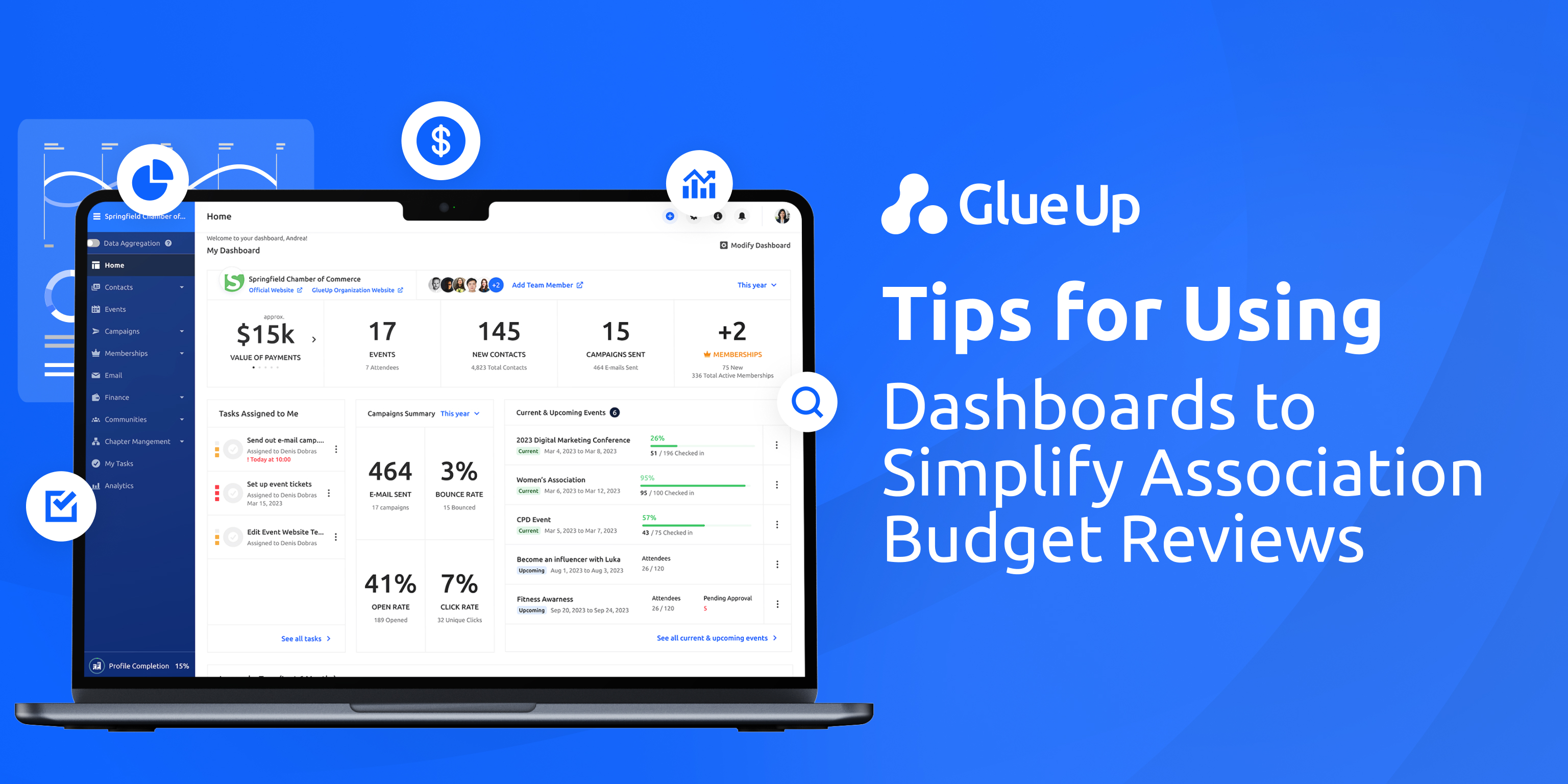
This is where budget dashboards shine. According to guidance for nonprofits, dashboards let boards and staff handle large amounts of data and see significance quickly. They are decision tools, bridging the gap between mission, membership, and money.
Membership organizations operate in a dual world: finances must respond to mission and members. Dues, events, sponsorships, program costs, member retention, all links to both budget and impact.
A dashboard anchors the numbers in that context. It answers the board’s key question before it’s asked: “Are we on budget, and what does that mean for our members and our mission?” Instead of spreadsheets that bury insight, you deliver clarity.
Furthermore, dashboards enable “glanceable” review. Many dashboard design experts invoke the 5-second rule: when a viewer opens a dashboard, they should grasp the main message in about five seconds.
If they’re thinking, “Where do I click?” or “What’s this chart?”, you’ve lost them. So, for associations, where board time is precious and non-finance backgrounds common, budget dashboards make the difference between silence and strategic conversation.
In short: spreadsheets prolong the review. Budget dashboards accelerate it and align it to mission.
Key KPIs Your Association Budget Dashboard Must Show
What goes into a budget dashboard for a membership-based organization? You want metrics that matter to your board, and you want them presented in a way that prompts decisions. Here’s a strong list of KPIs that should form the backbone of your dashboard.
Year-to-date surplus (or deficit) vs budget.
Start with the big number. Are you ahead of plan or behind? The board will want to know immediately. This is your headline tile.
Operating cash or months of coverage.
This speaks directly to sustainability: if something goes wrong, how many months can you keep the lights on? It’s a risk metric that board-members understand, even if they don’t read finance reports every day.
Dues revenue vs budget, event revenue vs budget, sponsorship revenue vs budget.
Break down your major revenue streams. Membership organizations typically rely on more than one engine of income. Revenue shortfall in any one stream needs to board attention–and the dashboard needs to make that visible.
Expense vs budget for major categories (program vs administrative or top five cost lines).
Cost overruns kill missions. The board should see which areas are drifting and ask why. Use visuals that compare actuals to budget by category.
Member retention rate and new member acquisition trend.
Since you’re membership-based, the finance story is tied to member dynamics. A dip in retention often precedes revenue dips. Show it. Link the financial to the relational.
Forecast year-end vs original budget.
Budgets are living. Your dashboard should show where you think you’ll land, but also how that compares to your original target. This three-way comparison (actual vs budget vs forecast) raises strategic questions. Research confirms that effective dashboards include both actuals and projections.
Variance analysis (actual minus budget) and drivers.
It isn’t enough to say, “we’re behind.” The board wants to know “why.” A waterfall or driver chart helps explain movement: revenue mix, timing, cost savings, overruns.
Your budget dashboard should surface all of these but in a minimal set, a “vital few” so the board isn’t overwhelmed. As one nonprofit guidance article says, limit metrics to those leadership must watch now; if everything is green all the time, you’re not pushing the organization.
Remember: the board wants insight. If you give them insight, you will equip them. If you overwhelm them, you lose their attention.
Design Layout for a Board-Ready Budget Dashboard
You’ve selected your KPIs. Now how do you present them? Great dashboard design is as much about what you don’t show as what you do. The design must facilitate fast comprehension first, deeper dive second. Here’s how to lay that out.
The 5-Second Test
Imagine your board chair opens a dashboard and gives you five seconds. Within that time, she must understand financial health, any emerging red flags, and whether she needs to ask a question. If your dashboard fails the 5-second test, it doesn’t pass the board review.
Layout Blueprint
Header strip: At the very top, three tiles: YTD surplus/deficit vs budget; cash on hand (months); forecast variance. These sit side-by-side, bold, and clear.
Left panel (vertical): Bullet charts or bar-vs-target visuals for the major revenue/expense lines (dues, events, sponsorships, top expense categories).
Center panel: A waterfall chart that walks from original budget → actual → variance → forecast. It shows “what changed and why.”
Right panel: A small sparkline for member retention/new member acquisition trends; plus, a box of risk/actions (3 items max).
Footer: Notes and assumptions (e.g., “data refreshed 10 Nov 2025”), data steward name, version and board link.
Visual Best Practices
Use bullet charts rather than gauges or donuts for actual vs target. They’re clearer and more precise.
Use waterfall charts to illustrate the movement from budget to actual. These explain variance rather than just display numbers.
Use minimal color: accent colors for under-performance (e.g., amber/red) or ahead (green); keep the rest neutral.
Use consistent scales when comparing line items, so the board can see that “$300K shortfall” is meaningful.
Make the dashboard mobile-friendly or tablet-friendly if your board uses iPads (best practice indicates mobile accessibility matters).
Include both financial and non-financial metrics (retention, membership growth) so design ties budget to mission.
When you design a dashboard like this, you give them a narrative. You give them a one-screen story: where we started, where we are, what happened, and what we need to do.
Automating Data Feeds from Accounting to Dashboard
Manual export/import cycles are the downfall of many dashboards. You spent weeks making the dashboard, but the minute you load stale or conflicting data, the board stops trusting it. For budget dashboards to work (especially in associations) you must automate the data feed.
Connect Once, Refresh Often
Modern dashboard tools, such as Power BI or Tableau, allow live or scheduled connections to your accounting system, your membership database, and your event registration platform.
You build your data model (Date table, Budget table, Actuals table, Membership table), connect once, and then set up incremental refreshments (nightly, hourly). This frees your team from weekly manual updates and reduces errors. Public guidance confirms that dashboards enhance transparency and internal financial management when properly connected.
Choose Your Starting Point
If your team is still in spreadsheet mode (and many associations are), you may begin with an Excel-based dashboard: one workbook, linked pivot tables, slicers for fiscal year or program. Templates exist for this. But beware: as your data sources grow, Excel alone may become a drag. Transitioning to a BI tool sooner rather than later saves cursor headaches and board frustration.
Performance Matters
A slow dashboard equals disengagement. Both Power BI and Tableau offer performance-tuning advice: reduce high-cardinality filters, use data extracts or aggregated tables, minimize visuals on a page, use efficient joins. When you’re presenting a board and a spinner sits for 10 seconds, you lose authority.
Glue Up’s Unique Fit
Here’s where Glue Up stands out. Because your membership, event, sponsorship, payment and community data are already in the Glue Up ecosystem, you’re not shoe-horning data from five different systems.
The ability to push Glue Up data directly into your BI model means your budget dashboards are member-centric and holistic. You tie member behavior to revenue and cost; you tie events and sponsorships to cash flow and budget. That’s the power of budget dashboards when coupled with the right platform.
Having the dashboard is not the finish line. The value comes when you use it in the boardroom and make decisions. Use this checklist to run your next board meeting with the budget dashboard as your lead.
Pre-meeting refresh: Confirm your data refresh timestamp is visible. Export the dashboard PDF or share the live board link.
Opening screen (5 seconds): Start with the header tiles (YTD surplus, cash, forecast). Ask: “What jumps out?”
Walk the waterfall: Center panel explains movement from budget → actual → forecast. What has changed? Why?
Driver review: Left panel bullet charts select 1–2 major lines (for example, event cancellations or sponsorship ups/downs). Ask: “What are we doing about this?”
Risk and actions: Right box highlight key decisions: delay program spend? accelerate membership drive? revisit pricing? Capture decisions and owners.
Post-meeting distribution: Send the dashboard link and action register to board members. Ask for feedback (“Was this helpful? What else would you like to see?”
Follow-up: At each next meeting, recap prior actions and link them to updated dashboard metrics.
If you follow this flow, you move your meeting from "report reading" to "strategic thinking." The dashboard becomes a tool.
Governance, Storytelling and the Association Mission Lens
Before we close, let’s ground why these matter beyond numbers. Your association exists for your members, your mission, and your purpose. Finance is the steward of mission. This is especially true in membership organizations where transparency, trust, and member engagement matter deeply. Budget dashboards tie the dollars to the story.
When you present a budget dashboard that links, for example, declining retention with event revenue shortfalls, you’re telling a story of member value lost and regained. When you show the cash-on-hand months alongside sponsorship renewal trends, you’re demonstrating stewardship of the community’s future. That’s what governance is about.
Nonprofit research emphasizes that dashboards should combine financial and non-financial metrics, “aligning your metrics with your strategy, considering your audience, and implementing best practices in dashboard content and design.”
So, your dashboard should not only answer “Are we on budget?” but “Are we delivering on our mission, and do our finances support that?” Linking the mission and the money ensures your board discussion doesn’t lag; it leads ahead.
Act Now (And How Glue Up Helps)
This is about better decisions.
Choose your KPI set (used in the list above).
Sketch your dashboard layout (header, panels left/center/right, footer).
Decide whether you will start with Excel or move directly to a BI tool like Power BI.
Connect your data: GL/budget tables + membership database + event/sponsorship tables (Glue Up modules).
Build and test the dashboard; share it with your finance committee before the board.
Run your first board meeting using the checklist above. Note how long you spend on numbers vs decisions.
Gather board feedback. Iterate the dashboard: what did they understand? What confused them?
Make the dashboard part of your regular meeting cadence. A trusted dashboard becomes part of your governance rhythm.
With Glue Up, you already have a strong base: membership, engagement, event and financial module data can all flow into one ecosystem. The next step is to visualize it. In doing so, your budget dashboards become strategic portals where your board, your members and your mission align.
In summary: buy the spreadsheets one last time if you must, but don’t send them to the board. Instead, build your first budget dashboard where numbers meet narrative. Where transparency meets trust. Where finance meets missions. And let your board spend less time asking, “Are we on budget?” and more time asking, “How are we serving our members, and what next?”
Let’s make your next budget review the one where the dashboard does the talking, and the board does the deciding.