You walk into the board room of your association, coffee in hand, and the first slide flashes onto the screen: “Membership renewals: 6% down this quarter.” A murmur runs through the room, but the numbers don’t align with what the membership team promised.
Chapters reported strong attendance, events were full, yet the renewal dip still shows. One board member asks: “Why do we still not have a unified view across chapters? Where’s the central data?” That moment exposes the fault line: the board is asking for clarity, but the organization doesn’t yet have a platform that delivers it. And this is precisely where CRM board reporting moves from nice-to-have to board-level urgency.
If your organization uses scattered spreadsheets, silos of chapter reports, and manual cut-and-paste dashboards, your board’s trust in data is fragile. Conversely, when you adopt a modern CRM built for associations, integrating membership, events, finance, chapter networks; you create a system where board-ready reporting becomes routine. With the right CRM board reporting strategy, the board sees the numbers, understands the context, asks sharper questions, and leads with confidence rather than reacting.
In this article we’ll walk through how member-based organizations can unlock that capability: the features of CRM that matter, the metrics boards should monitor, how to design dashboards and automate reporting, how to govern data across chapters, and how to embed transparency into your organization’s governance. Let’s go beyond the hype and see how this works in real life.
Key Takeaways
A modern CRM replaces spreadsheets and siloed systems with a single source of truth. When membership, events, finances and chapters connect in one place, boards no longer debate data accuracy; they see it, understand it, and act on it in real time. Transparency becomes systemic.
CRM board reporting enables leaders to monitor KPIs: renewal rates, engagement scores, sponsorship pipelines, without waiting for month-end summaries. Automated alerts and dynamic dashboards help boards move from reactive problem-solving to proactive decision-making, closing the gap between insight and action.
Even the best dashboards fail without clean, consistent data. Standardized definitions across chapters, data stewardship roles, and audit trails ensure that every number presented to the board is accurate and defensible. Data governance is what transforms CRM board reporting into genuine transparency.
Effective board dashboards tell a story: what’s happening, why it matters, and what to do next. Boards need visual summaries, trendlines, and clear calls to action. CRM board reporting works best when it translates complexity into context that fuels strategic discussion.
When boards can access trusted, up-to-date CRM reports, they shift from questioning data to shaping outcomes. Staff gain back time from manual reporting, chapters get benchmarked fairly, and members see a more accountable organization. The payoff is stronger alignment, faster decisions, and higher renewal and sponsorship growth.
Quick Reads
What Board Members Really Need (And Why Most Organizations Fall Short)
For associations, chambers of commerce and non-profits, the board’s mission is often a dual one: steward the organization’s mission and ensure responsible use of member dues, sponsorship dollars, volunteer time.
So, when board members ask questions like “What is our retention trend by chapter?” or “Which sponsorships are underperforming?” they expect accurate, timely answers. Yet many organizations answer with: “We’ll email that spreadsheet after the meeting.”
This gap arises because the data infrastructure has not evolved. Membership systems, event platforms, financial ledgers, chapter reports, almost always live in different silos. Without integration, the board sees lagging data, inconsistent metrics, and low confidence in insights. Research confirms that stronger transparency in corporate governance correlates with better performance.
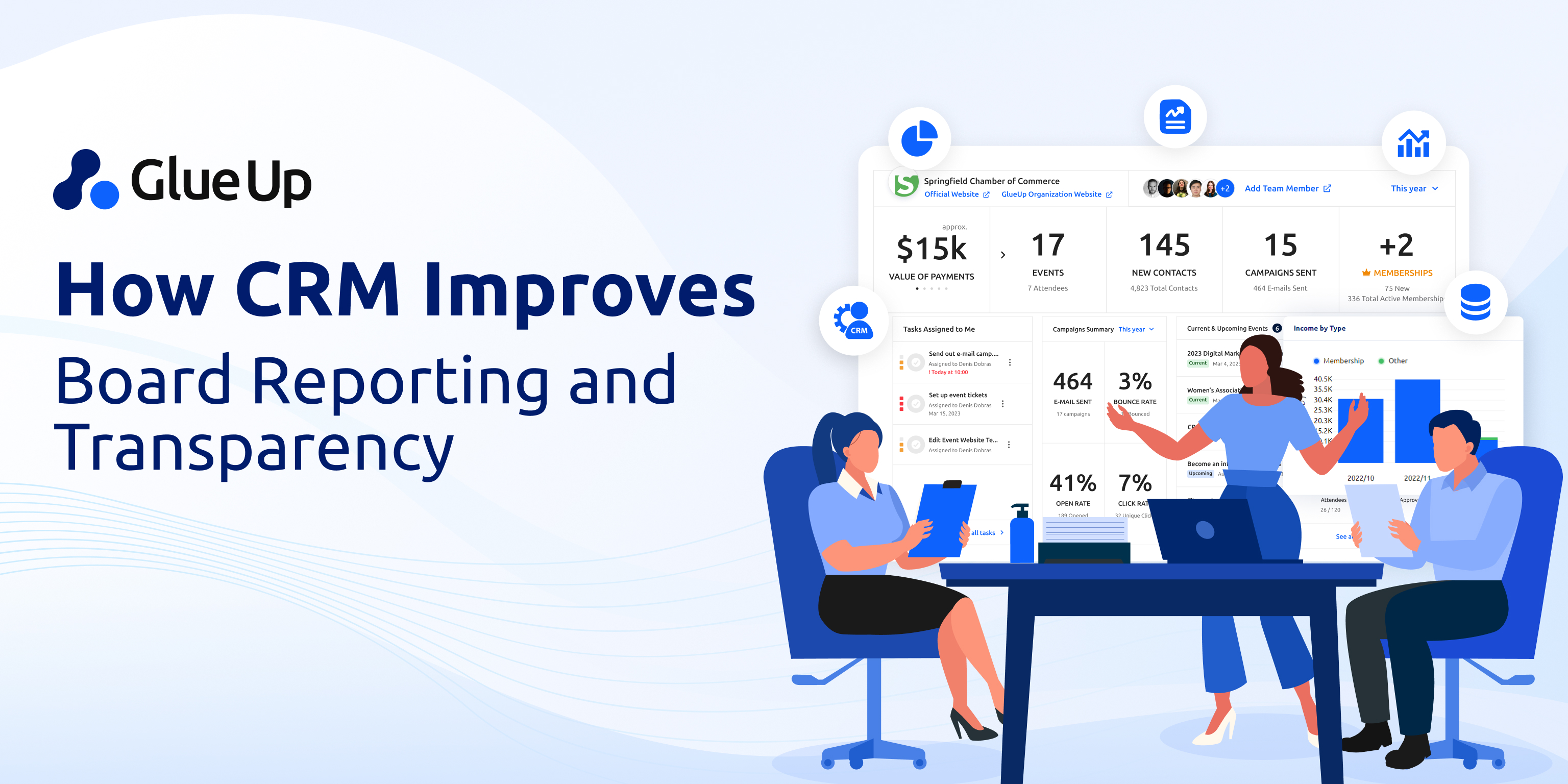
Now imagine the alternative. A CRM system that centralizes member interactions, tracks event attendance, monitors renewal pipelines, integrates financials and chapter performance, and then surfaces a dashboard “Board-View” at the push of a button.
Suddenly the board asks strategic questions: “Which chapters are growth-outliers? Where is our sponsorship renewal risk? Are we losing engagement in a key segment?” They ask them because they see them. That shift is the crux of CRM board reporting.
Why CRM Board Reporting Matters in the Association World
Let’s parse the mechanism. What does CRM board reporting enable that legacy systems don’t?
- Single source of truth. All data: member profiles, engagement history, event participation, sponsorship pipeline, chapter finances, lives in one platform. The board doesn’t get three versions of “renewals by chapter.”
- Real-time or near-real-time insights. Instead of waiting for month-end, the board sees the engagement heat map as of yesterday. That speed is vital when you’re dealing with attrition or sponsorship churn.
- Role-based access and dashboards. Board members don’t need all the operational detail, but they do need the big picture plus drill-down capability. Modern CRMs deliver dashboards tailored to the board-level view. For example, the CRM article on roles-and-permissions in associations highlights how access control and governance align with transparency.
- Automated alerts and KPIs. When key metrics dip, the system flags it, before the board catches it. That means the board is never in “surprise” mode but in “what’s our response” mode.
- Data governance and trust. Boards won’t act on data they don’t trust. CRM board reporting demands governance: validation, audit trails, consistent chapter-by-chapter definitions. Research on data governance underscores its importance.
For member-based organizations, the stakes are especially high. You are accountable to members, sponsors, chapters, and the board holds that accountability. CRM board reporting helps you show up with confidence.
Key Features of CRM That Drive Board-Level Transparency
What should you look for (and configure) in your CRM so that your board reporting becomes powerful?
1. Centralized membership and engagement data
Your CRM should capture every member interaction: renewal date, event attendance, committee participation, sponsorship involvement, community engagement. That data becomes the foundation of board dashboards.
2. Dashboard and visualization tools built for executives
Boards don’t want raw spreadsheets. They want membership growth curves, renewal heat maps by chapter, engagement funnel, sponsorship pipeline snapshot. The CRM should support interactive dashboards, drilldowns, and snapshot exports.
3. Role-based dashboards and reports
The board sees the big picture; chapter directors see their region; staff see operational detail. A governance-aware CRM supports permissions so that board-ready reports don’t expose non-relevant detail but still offer transparency.
4. Automated alerts/flags for KPI changes
Set thresholds (e.g., renewal rate drops below 85 %, sponsorship renewal pipeline < X). When a KPI crosses a flag, the system sends alerts. The board gets proactive clarity.
5. Integration across systems
Membership, events, finance, chapters, all need to feed into the CRM or be integrated. Without this, you still have silos and inconsistent metrics. CRM systems that integrate with finance/AMS/event platforms give you the full chain: event → engagement → renewal.
6. Audit logs and traceability
For transparency, you must know who changed what, when. Audit trails build trust for board members and members themselves. The roles-and-permissions piece for associations makes this explicit.
7. Governance workflows and chapter standardization
In multi-chapter organizations you need standard data definitions, consistent field usage, and shared dashboards. The CRM should enable template roles and dashboards, so each chapter is aligned, which elevates the board’s ability to compare.
What Metrics Should the Board Monitor (And How Often)
Your CRM board reporting strategy should include a set of key metrics that the board watches regularly. Here are the critical ones for membership-based organizations, with guidance on cadence.
| Metric | Why it matters | Suggested cadence |
|---|---|---|
| Renewal rate (overall and by chapter) | Shows member retention health; early warning for attrition. | Weekly/Monthly |
| Net member growth (new minus attrition) | Indicates growth momentum and membership value. | Monthly |
| Revenue per member or per chapter | Tracks financial value and variation across chapters. | Quarterly |
| Event participation rate (members vs non-members) | Engagement is a leading indicator of renewal. | Monthly |
| Sponsorship pipeline value & renewals | Sponsorships often fund programs; risk if pipeline weak. | Monthly |
| Member engagement score or tier movement | Tracks how active or passive members are (proxy for renewal risk). | Monthly |
| Chapter performance heat-map | Identifies chapters that are under-performing or over-performing. | Monthly/Quarterly |
| Low-engagement member segment size | Catch early warning about members at risk of dropping. | Weekly |
| Data quality index (e.g., % of profiles missing key fields) | Board needs to trust the data it sees. | Quarterly |
Setting a regular cadence matters. If you deliver board reporting only quarterly, you lose the opportunity to respond sooner. When you run dashboards weekly and flag anomalies, you give the board actionable insights. That is the essence of CRM board reporting.
Designing Dashboards for Executive Decision-Making
Building dashboards is telling a clear story to the board. Here’s a blueprint to structure them:
- Start with the headline: At the top of the dashboard: “Renewals down 6% this quarter” (or whatever the key number is). Make it big, visible, unavoidable.
- Context and trend: Follow with a trend-line: renewal rate year-to-date vs same period last year. Then break out by chapter to spot where the drop is happening.
- Engagement funnel: Event participation → committee involvement → volunteer hours → renewal rate. Visualize the journey from engagement to retention. Boards love seeing causality.
- Sponsorship pipeline snapshot: Show current sponsorship commitments, pending renewals, pipeline by value. If revenue from sponsorships funds programs, the board needs visibility now.
- Chapter performance heat-map: Use map visualization or color‐coded table: chapters above target in green, those behind in red. Include member growth, renewal, event participation.
- Alerts and flags: Side-panel: “At-risk chapters”, “Members with zero event participation in past 12 months”, “Sponsorship pipeline less than X”. These drive priority discussions.
- Data quality snapshot: A small panel showing “% profiles complete”, “% duplicate records”, “% fields outdated”. Remind the board that trust starts with clean data.
- Next steps / questions for board: At the bottom: “Recommendations for board discussion” – e.g., “Consider additional event engagement resources for Chapter 5”, “Review sponsorship renewal plan with top 3 sponsors”. This turns data into action.
When you build dashboards like this in your CRM, you move board reporting from static to dynamic. That is the goal of every association seeking transparency through CRM board reporting.
Automating Board Report Delivery and Integrating Workflows
It’s not enough to build dashboards and hope the board uses them. You must automate the delivery and integrate the workflow so that board reporting is part of the rhythm.
- Schedule automatic exports: Weekly snapshot emailed to board or posted in board portal.
- Push alerts when KPIs cross thresholds: For example, renewal rate falls below 85 % or membership growth is negative. Board receives alert and sees cause.
- Embed links from report into CRM: Board members click a number and drill into the CRM to see detail for that chapter or segment.
- Integrate finance and operations data: For example, membership dues, event revenue, sponsorships should be integrated so dashboards show revenue impact. Integration across systems is key.
- Access control: Board sees high-level reports, staff sees operational detail; but everyone draws from the same data source. Governance controls matter for transparency.
- Training and adoption: Make sure board members know how to interpret the dashboards, ask the right questions, and demand follow-up. The CRM is a tool, usage by leadership makes the difference.
- Chapter standardization workflow: In multi-chapter associations, ensure chapters submit data in the CRM, follow naming conventions and align on metrics so board comparisons are meaningful.
When workflows are integrated, board report discussions shift from “why don’t we have the numbers” to “what do we do with the numbers.” That is the ideal state for CRM board reporting.
Data Governance: The Foundation of Trust and Transparency
No matter how powerful your CRM, if your data is messy, inconsistent or ungoverned, your board will never trust what they see. Good governance underpins all CRM board reporting capability.
- Define data standards: Membership status definitions, chapter designations, event types, sponsorship categories, all should be standardized.
- Assign data stewards: Staff or chapter leads responsible for data quality, completeness, deduplication, audit.
- Monitor data quality metrics: “% of profiles missing renewal date”, “% duplicate records”, “% chapters with data submission late” etc.
- Audit logs and access tracking: Who changed what data and when, board wants assurance that data integrity is maintained.
- Govern multi-chapter alignment: Chapters may have local autonomy, but your CRM must enforce consistent data flows, definitions and reporting templates.
- Regular review cadence: Quarterly or monthly review of data governance metrics and discussion in executive/board meetings. Research in governance and transparency emphasizes data-quality frameworks as a core enabler of trust.
For associations that have grown by chapter acquisition or merger, data governance may be the biggest barrier to meaningful CRM board reporting. The effort is worth it.
Implementation Roadmap: 6 Steps to Build Your CRM Board Reporting Capability
Here’s a pragmatic roadmap to move your organization from reporting gap to board-level clarity:
- Audit your current state: Map all membership data sources, events, finance, chapter reports. Document where data lives, who owns it, how current it is, what definitions each chapter uses.
- Define board reporting needs: Interview board members: what questions do they ask? What numbers matter? What decisions do they make? Translate into dashboard requirements, cadence, metrics list (renewal rate, pipeline, engagement, etc).
- Select and configure your CRM: Choose a CRM built for membership organizations. Configure central database, dashboards, permissions, integrations (events, finance, chapters). If you are using Glue Up, leverage the membership + events + finance modules and roles/permissions features.
- Standardize data governance: Define data standards, naming conventions, chapter reporting templates, data-quality checks. Assign data stewards.
- Build dashboards, automate alerts and workflows: Create board-level dashboards, alerts for KPI thresholds, schedule automatic distributions, integrate drill-down capability. Test with one chapter or pilot board meeting.
- Review, refine, scale: After the first board cycle, collect feedback: “What data do you still not trust?”, “Which metrics did we not include?”, “What should we add next quarter?”. Refine dashboards, expand to all chapters, embed into board meeting rhythm.
If you follow that roadmap, you move from reactive reports to proactive board discussions. That is the desired state of CRM board reporting.
Common Pitfalls and How to Avoid Them
Even the best intentions can stumble. Here are pitfalls to watch out for:
- Bad data = bad insights. If your dashboards pull from dirty or inconsistent data, you lose board trust. Guard this with governance from day one.
- Over-complex dashboards. Resist the temptation to put every number in. Keep the board view focused on the top 8-12 metrics; deeper detail lives for staff.
- Lack of integration. If membership, event and financial systems don’t feed your CRM, you still have silos. Integration is non-negotiable.
- Infrequent updates. A “dashboard” that updates only monthly is an improvement, but still slow. Push for weekly or even real-time refresh where possible.
- Board doesn’t engage with the system. Building the dashboard is only half the story. Train board members to use it, ask questions, and derive value.
- Chapter variability without standardization. If each chapter reports differently, comparisons break down. Ensure standard definitions.
- Treating CRM board reporting as a one-time project. It’s a capability. Make it part of your governance rhythm.
The Payoff: What Your Board and Organization Stand to Gain
When you convert to a CRM board reporting model, the benefits accrue:
- The board goes from “What is the number?” to “What’s our response?”
- Trust increases, between board, staff, chapters, because everyone is working from the same data.
- Decisions are more timely, when you spot a renewal drop early, you address it instead of reacting months later.
- Chapters are benchmarked and supported rather than left to operate in isolation.
- Sponsorship pipeline issues surface sooner, giving time to intervene.
- The organization demonstrates professional, accountable governance to members and stakeholders, boosting credibility and renewal rates.
- You free up staff time from chasing numbers and focus on insight and action.
And that is why CRM board reporting is a strategic necessity for associations that want to move beyond merely managing membership to leading membership.
Your Next Move
Let’s keep it simple. Pick one metric your board asks regularly, perhaps chapter-by-chapter renewal rate, and check: Can you produce that number within a day, with breakdown by chapter and trendline over last three quarters? If the answer is “no” or “it takes me two days”, you have opportunity.
Schedule a meeting with your CRM vendor (or evaluate CRM platforms) and ask:
- “Can I build a board-level dashboard that updates weekly or on demand?”
- “Can I set alerts when renewal rate or sponsorship pipeline falls below threshold?”
- “Do we have standardized data definitions across chapters?”
- “Can board members drill down but only see what they should see?”
Because when you answer “yes” to those questions, you move into the realm of board-ready transparency. The board asks the question, and you have the answer. For member-based organizations, that means less defensiveness and more forward focus. And that is the type of leadership your board expects and your members deserve.
By anchoring your strategy in CRM board reporting, you enable your board to lead rather than chase, to question strategically rather than dig for numbers. When you align membership, event, finance and chapter data into a transparent, trustworthy system, you give your board a real view, and that matters.
The story you tell at your next board meeting could be: “Here’s what we see, here’s what it means, and here’s how we act.” And that is the narrative of an organization governed, informed, aligned, and ready.